
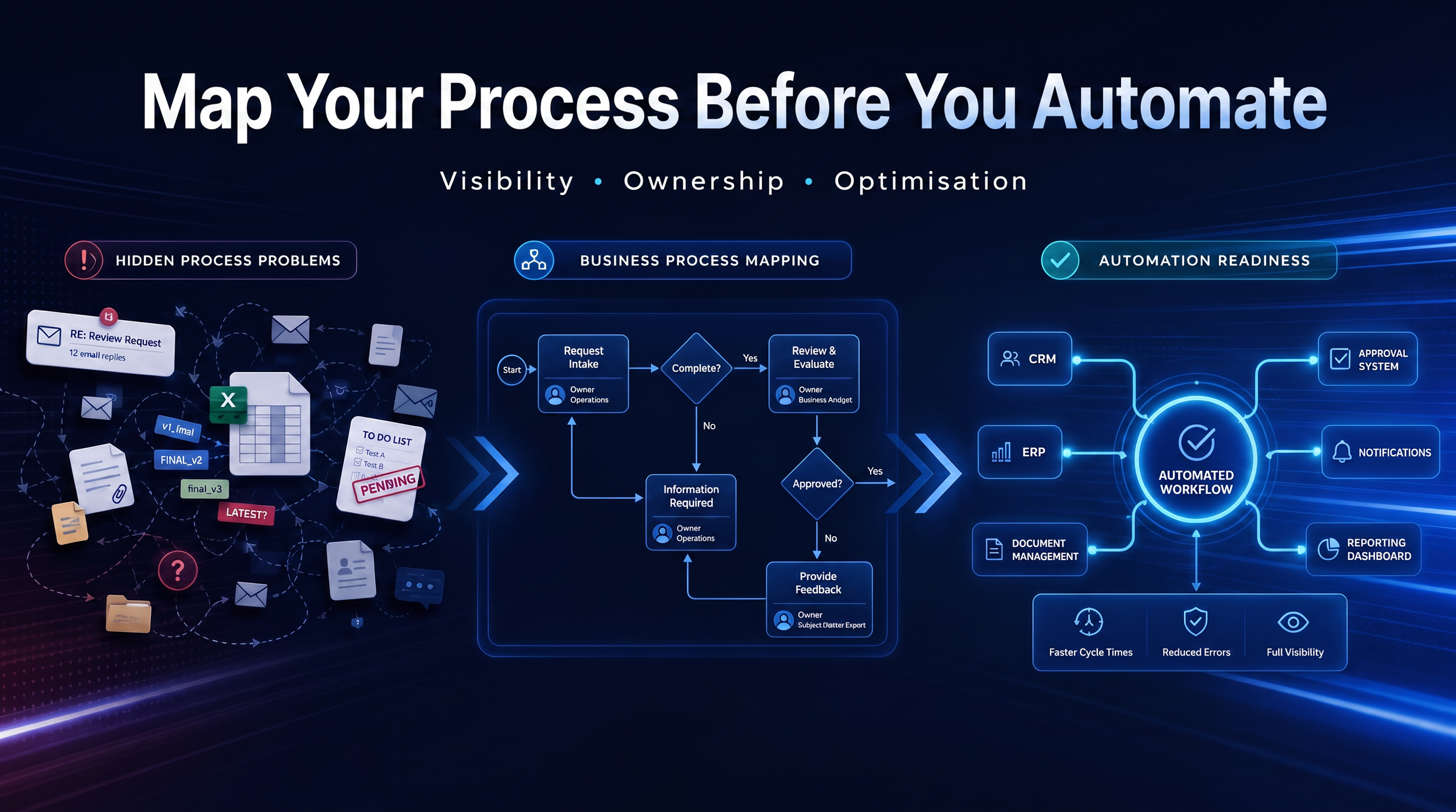
Automation is one of the most exciting opportunities available to modern businesses.
Whether you're exploring Microsoft Power Automate, AI-powered workflows, Microsoft Copilot, or process automation platforms, the promise is appealing: save time, reduce manual work, and improve efficiency.
But many automation projects fail for a simple reason.
Businesses try to automate processes they don't fully understand.
The result is often disappointing. Inefficiencies remain. Bottlenecks continue. Employees become frustrated. And the organisation ends up automating problems rather than solving them.
Before you automate anything, you need visibility into how work actually happens.
Just as businesses need data visibility before improving information management, they also need process visibility before introducing automation.
That's where business process mapping comes in.
Process mapping helps organisations understand how work flows through the business, identify inefficiencies, and determine which activities are worth automating.
The most successful automation initiatives don't start with technology.
They start with process visibility.
Why Businesses Rush Into Automation Too Early
Automation is often seen as a shortcut to productivity.
Business leaders hear success stories about:
Workflow automation
Power Automate
Microsoft Copilot
AI tools
Process optimisation
And naturally, they want similar outcomes.
The problem is that automation is often treated as the starting point when it should be the outcome.
Many organisations jump directly into automation without asking:
How does this process actually work?
Who owns it?
Where does information come from?
What exceptions occur?
Which steps create delays?
Without those answers, automation rarely delivers its full value.
Technology isn't usually the first problem.
A lack of process visibility is.
What Is Business Process Mapping?
Business process mapping is the practice of visually documenting how work moves through a business from start to finish.
The goal isn't to create complicated diagrams.
The goal is to make work visible.
A process map typically captures:
Activities
Decisions
Inputs
Outputs
Systems
Data sources
Owners
Handoffs
Think of it as creating a blueprint for how work actually gets done.
Once a process is visible, it becomes easier to:
Understand
Analyse
Improve
Standardise
Automate
Without a clear map, businesses often rely on assumptions rather than facts.
The Hidden Costs of Unmapped Processes
Many organisations don't realise how much inefficiency exists until they start documenting processes.
Duplicate Work
Different people perform the same activity in different ways.
Teams recreate reports, documents, or tasks because they don't know existing work already exists.
This creates unnecessary effort and inconsistency.
Manual Data Entry
Employees frequently transfer information between:
Emails
Spreadsheets
Forms
Business systems
These repetitive tasks consume time while increasing the risk of errors.
Approval Delays
Many businesses rely on manual approvals through:
Email
Teams messages
Phone calls
Without visibility into approval workflows, delays become difficult to identify and resolve.
Bottlenecks
Some activities depend heavily on specific individuals.
When those individuals are unavailable, work slows down or stops completely.
Knowledge Silos
Critical knowledge often exists inside individual employees' heads rather than within documented processes.
This creates risk and limits scalability.
Five Signs You Need to Map a Process Before Automating It
Not every process requires detailed analysis.
However, these warning signs usually indicate that process mapping should happen before any automation effort.
1. Nobody Can Explain the Entire Process
Ask multiple team members how a process works.
If you receive multiple answers, there is likely no shared understanding of the workflow.
Automation becomes difficult when nobody understands the process from beginning to end.
2. Different Teams Work Differently
Variations often emerge over time.
One department uses spreadsheets.
Another uses email.
Another relies on Teams conversations.
These inconsistencies create confusion and reduce efficiency.
3. Approvals Happen Through Email
Email approvals are one of the most common signs that a process requires review.
Questions become difficult to answer:
Who approved this?
When was it approved?
What version was approved?
These processes often benefit from automation—but only after they're mapped and understood.
4. The Process Depends on Specific People
If work stalls when one employee is unavailable, the process is too dependent on individual knowledge.
Documenting and mapping the workflow helps reduce this risk.
5. The Process Frequently Breaks
Recurring delays, missed deadlines, and constant exceptions usually indicate process issues rather than technology issues.
Before introducing automation, understand why the process is failing.
A Practical Framework for Mapping Business Processes
Process mapping doesn't need to be complex.
In fact, simplicity is usually better.
The following framework helps businesses build visibility before investing in automation.
Step 1: Define the Start and End Points
Identify where the process begins and where it ends.
For example:
Process: New Employee Onboarding
Start:
Job offer accepted
End:
Employee fully onboarded
Defining clear boundaries prevents unnecessary complexity.
Step 2: Identify All Activities
List every activity that currently happens.
Include:
Manual tasks
Approvals
Reviews
Notifications
Data entry
Focus on documenting reality rather than the ideal process.
Step 3: Map Decision Points
Many workflows contain decisions.
Examples include:
Is the request approved?
Does additional information exist?
Is escalation required?
Decision points often create complexity and delays.
Step 4: Identify Systems and Data Sources
Document every system involved.
Examples:
Microsoft Forms
SharePoint
Teams
Outlook
CRM platforms
Finance systems
This step is particularly important for future automation projects because automations often connect multiple systems together.
Step 5: Document Ownership
For every activity, identify:
Who performs the task
Who owns the process
Who approves decisions
Ownership creates accountability.
Without ownership, improvement becomes difficult.
Step 6: Measure Pain Points
Ask:
Where are delays occurring?
Which tasks consume the most time?
Which activities are repetitive?
Where do errors occur?
These areas often become the best automation candidates.
What Should Be Automated and What Shouldn't?
One of the biggest mistakes organisations make is assuming everything should be automated.
Not every process benefits from automation.
Good Automation Candidates
Processes that are:
Repetitive
Tasks performed frequently and consistently.
Examples:
Notifications
Reminders
Data synchronisation
Rules-Based
Processes that follow clear decision logic.
Examples:
Leave requests
Purchase approvals
Invoice routing
Time-Consuming
Activities that consume significant manual effort.
Examples:
Data entry
Status updates
Document processing
Processes That Should Be Improved First
Sometimes the best improvement isn't automation.
Sometimes it's simplification.
Examples include:
Removing unnecessary approvals
Eliminating duplicate activities
Combining systems
Reducing handoffs
Automating unnecessary work simply helps the business do unnecessary work faster.
How Process Mapping Supports Automation and AI
Many organisations focus on tools when discussing automation.
However, tools are only part of the equation.
Successful automation depends on understanding:
Processes
Data
Ownership
Dependencies
This aligns closely with Ezynode's consulting framework:
Data → Process → Automation → AI.
Better Automation Outcomes
Process mapping creates visibility into:
Workflow steps
Bottlenecks
Handoffs
Opportunities for optimisation
This makes automation projects more successful.
Better AI Readiness
AI performs best when work is structured and predictable.
Organisations that invest in process clarity often improve their overall AI readiness because AI tools can operate more effectively within defined workflows.
Better Data Management
Many workflows depend on information flowing between systems.
A strong single source of truth improves process reliability and reduces duplication.
Better Information Access
Processes become easier to improve when teams have access to structured information and clear documentation.
Common Process Mapping Mistakes
Even with good intentions, organisations often make several common mistakes.
Mapping the Ideal Process Instead of Reality
Teams sometimes document how the process should work rather than how it actually works.
The goal is visibility, not perfection.
Document reality first.
Ignoring Exceptions
Exceptions often create the biggest delays.
Don't just map the standard workflow.
Map the uncommon scenarios too.
Missing Ownership
Processes without ownership rarely improve.
Every process should have someone accountable for its performance.
Automating Too Soon
The temptation to automate immediately can be strong.
However, the most effective automation initiatives often spend more time understanding the process than implementing technology.
Final Thoughts
Most businesses don't have an automation problem.
They have a process visibility problem.
Before investing in workflow automation, AI tools, or Power Automate, organisations need a clear understanding of how work actually gets done.
That's why process mapping remains one of the most valuable activities a business can undertake.
It helps teams:
Understand workflows
Identify inefficiencies
Reduce bottlenecks
Clarify ownership
Prioritise automation opportunities
The organisations that achieve the greatest value from automation don't start with technology.
They start by making work visible.
Because when you understand the process, you can improve it.
And only then should you automate it.