Organising your email can greatly enhance your productivity and ensure you never miss important messages. Here are some simple steps to help you manage your inbox effectively:
Use Folders to Organise Your Email
Select a message.
Select Move.
Choose a folder.
Or, drag and drop an email into a folder.

Create Rules to Sort Your Email Automatically
Right-click a message.
Select Rules.
Choose Always move messages from [name of sender].
Choose a folder or select New to create a new one.
Select OK.

Flag Email for Follow-Up
Select an email.
Select Follow up.
Choose an option.
Or, hover over the message and select the flag.

To see all of your flagged messages, select Filter Email > Flagged.
Archive Email
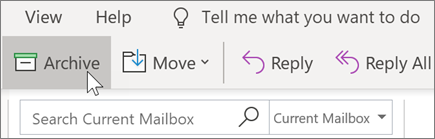
Use Archive to keep a clean inbox without deleting important emails. Unlike deleted messages, archived messages can still be searched.
Select one or more messages.
Select Archive.